
Download Astrum InstallWizard – installer, setup wizard, Windows installer, developer tool, software installation, custom installer, setup tool, installer builder, software deployment, installation wizard
Overview
Astrum InstallWizard is a specialized developer tool designed to streamline the creation of professional-grade installation packages for Windows applications. Its primary purpose is to simplify and enhance the software deployment process by enabling developers to build polished, user-friendly installers tailored to their specific needs. By providing a structured framework for managing installation workflows, the tool helps resolve common challenges such as inconsistent user experiences, missing dependencies, and unclear licensing terms. It is particularly valuable for software developers, IT teams, and small to mid-sized development studios aiming to deliver reliable and branded installation experiences.
The app targets technical users who require control over installer appearance, language support, and system integration. While the developer, Astrum, is not further detailed in the provided data, the tool’s long-standing presence since its release on March 26, 2012, suggests a mature product with proven utility in the Windows development ecosystem. Real-world use cases include preparing software for distribution, integrating multi-language support for global audiences, and ensuring proper registry and file system configurations during installation. In the broader context of software deployment, Astrum InstallWizard fills a niche by offering a focused, efficient solution for creating installers that are both functional and visually consistent with the software they distribute.
Key Features & Functionality
- User-Friendly Interface: The intuitive design allows developers to create installation packages without requiring deep expertise in installer scripting. Navigating through options and settings is straightforward, minimizing the learning curve and reducing setup errors.
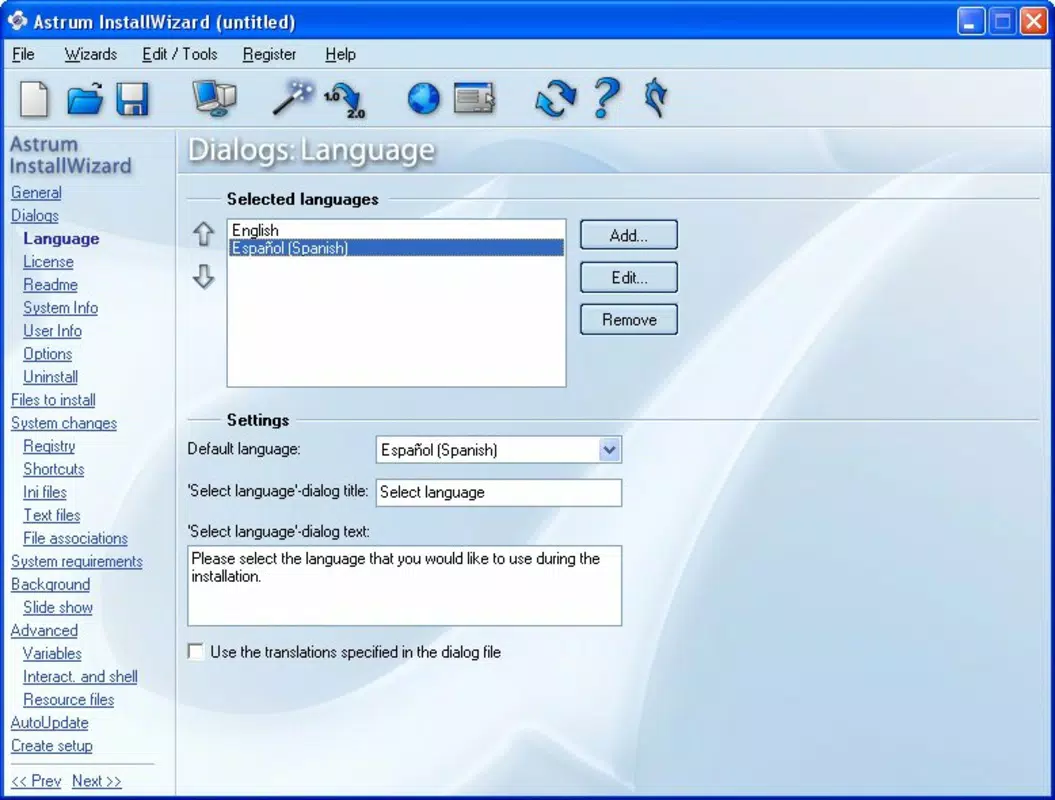
- Multi-Language Support: Developers can embed multiple language versions within a single installer, enabling users to select their preferred language during installation. This feature improves accessibility and supports international software distribution.
- Customizable Licensing Options: An integrated text editor allows direct editing of license agreements during installer creation. This ensures that legal terms are up-to-date and clearly presented, enhancing transparency for end users.
- Registry Entry Management: Built-in assistants help developers add required registry keys and values, ensuring that the application integrates correctly with the Windows operating system and avoids runtime errors.
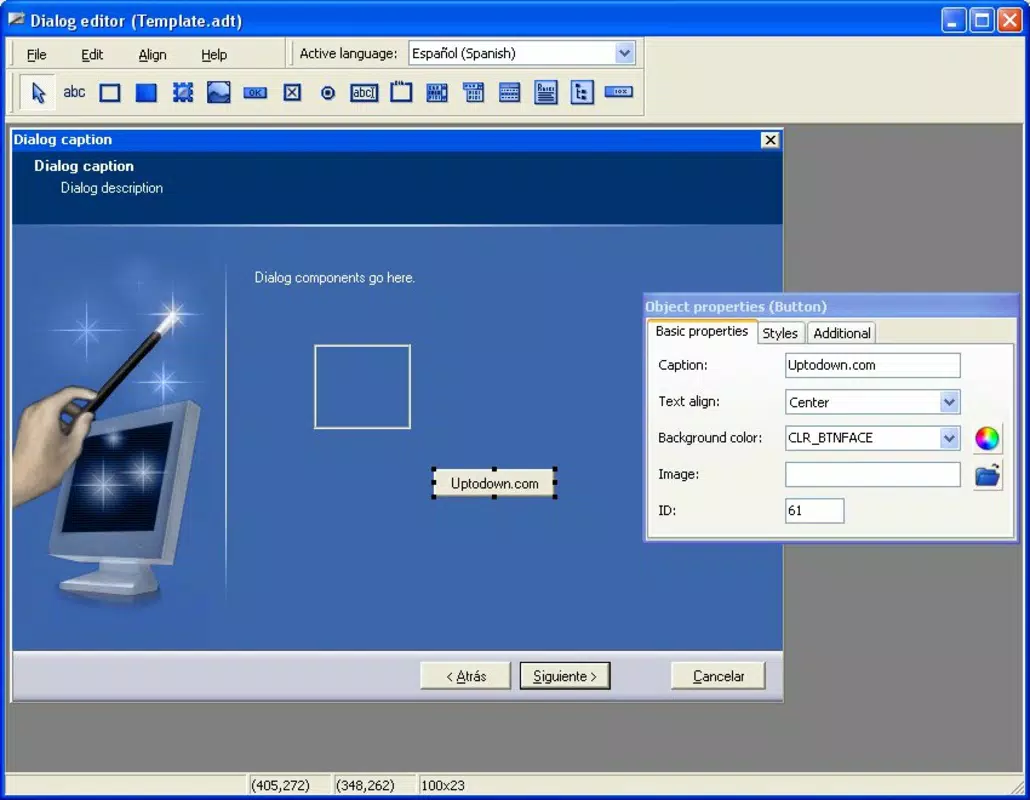
- Graphics Customization: Users can personalize the installer’s visual elements, including backgrounds, logos, and sound cues. This reinforces brand identity and creates a cohesive user experience from installation to launch.
These features collectively contribute to a more professional and reliable software deployment process. For example, a developer releasing a productivity tool can use the multi-language feature to support Spanish, German, and Japanese users, while customizing the installer’s visuals to match their app’s branding. The registry management assistant ensures that the software registers properly in the system, preventing common installation failures.
Interface, UX & Performance
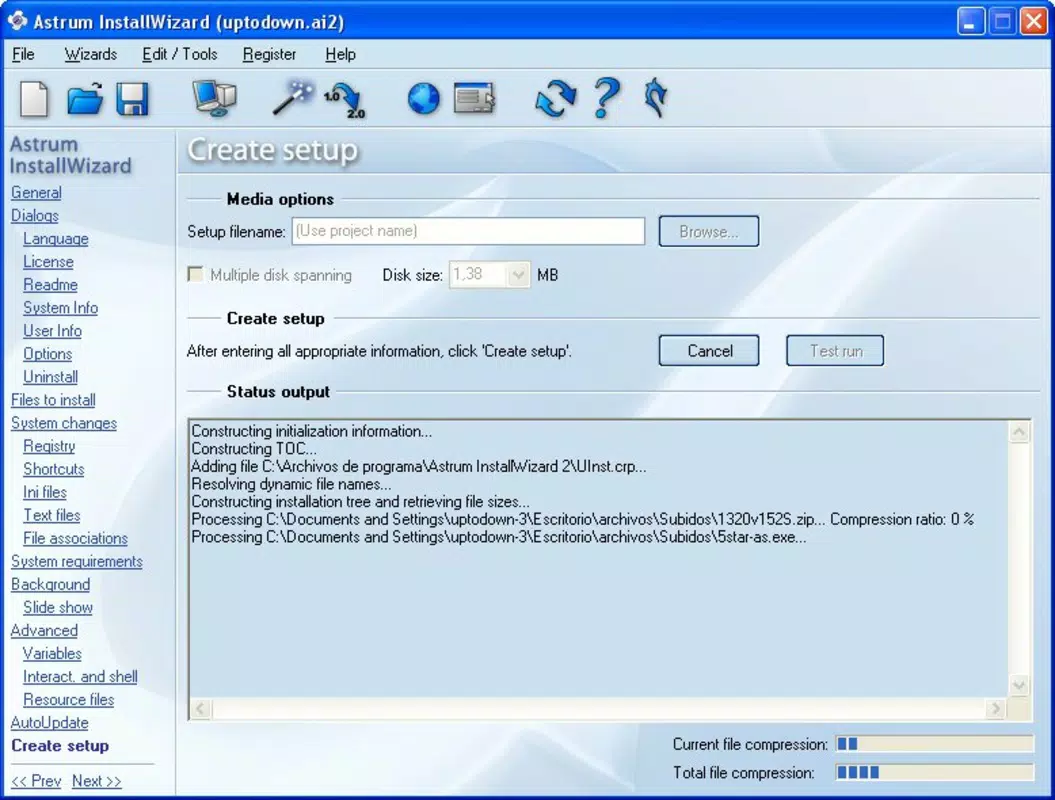
The interface of Astrum InstallWizard is designed with clarity and efficiency in mind. Its layout organizes installation configuration options into logical sections, allowing developers to manage each aspect of the setup process without confusion. Visual cues and consistent navigation patterns contribute to a smooth user experience, even when configuring complex installation scenarios.
Although the developer did not list formal performance metrics, the tool operates within a standard Windows environment and is expected to function reliably across a range of hardware configurations. The application’s 12.5 MB file size indicates a lightweight footprint, which supports quick loading times and minimal resource usage during installer creation. Responsiveness is likely consistent with typical desktop applications of its category, ensuring that actions such as adding files, editing licenses, or configuring language options are executed promptly.
Stability is implied by the tool’s long-standing availability since 2012, suggesting it has undergone multiple iterations and bug fixes. However, specific compatibility details with modern Windows versions were not provided. Users should verify that the application runs on their current system environment, especially when deploying on newer Windows releases.
Platform Compatibility & Technical Requirements
Astrum InstallWizard is designed exclusively for the Windows platform. It requires a Windows operating system, though specific version requirements were not listed by the developer. The application has a file size of 12.5 MB, indicating a compact installation package suitable for quick deployment on development machines.
Given that the tool was released in 2012, its compatibility with current Windows versions (such as Windows 10 and 11) cannot be confirmed without additional information. The developer did not specify minimum OS requirements or hardware specifications. Users should exercise caution when installing on newer systems and consider testing the application in a virtual environment if compatibility issues are suspected.
Pros and Cons
Pros
- Intuitive interface simplifies installer creation for developers of all skill levels.
- Supports multi-language installation, enhancing global accessibility.
- Integrated license editor enables real-time updates to legal agreements.
- Assists in managing registry entries, reducing installation errors.
- High degree of visual customization for branding and user experience.
Cons
- Compatibility with modern Windows versions was not confirmed.
- Specific system requirements were not disclosed.
- Price point of $49.99 may be high for individual developers or hobbyists.
- Not available for macOS or Linux, limiting cross-platform use.
- Developer did not provide detailed technical documentation.
FAQ
Is Astrum InstallWizard compatible with Windows 11?
Compatibility with Windows 11 has not been officially confirmed by the developer. Users are advised to test the application in a controlled environment before full deployment.
Can I use Astrum InstallWizard to create installers for multiple languages?
Yes, the tool supports embedding multiple language versions within a single installer, allowing users to select their preferred language during setup.
Does Astrum InstallWizard require an internet connection to function?
The application does not require an internet connection during installation or usage. However, updates or additional resources may need online access.
Is the license agreement customizable?
Yes, the integrated text editor allows developers to modify license files directly within the tool.
Can I install Astrum InstallWizard on macOS or Linux?
No, the tool is designed exclusively for the Windows platform and is not available for macOS or Linux systems.
Final Thoughts
Astrum InstallWizard remains a dedicated solution for developers seeking to create polished, professional installers for Windows applications. Its blend of customization, multi-language support, and system integration tools makes it a valuable asset in the software deployment pipeline. While its age and lack of updated compatibility details may raise concerns, its core functionality continues to serve developers who prioritize user experience and brand consistency in their software releases.
For software teams focused on delivering high-quality, globally accessible applications, Astrum InstallWizard offers a reliable and feature-rich approach to installer creation. Its ability to manage complex setup processes with minimal friction underscores its enduring relevance in the developer tool ecosystem.
Download Astrum InstallWizard now


